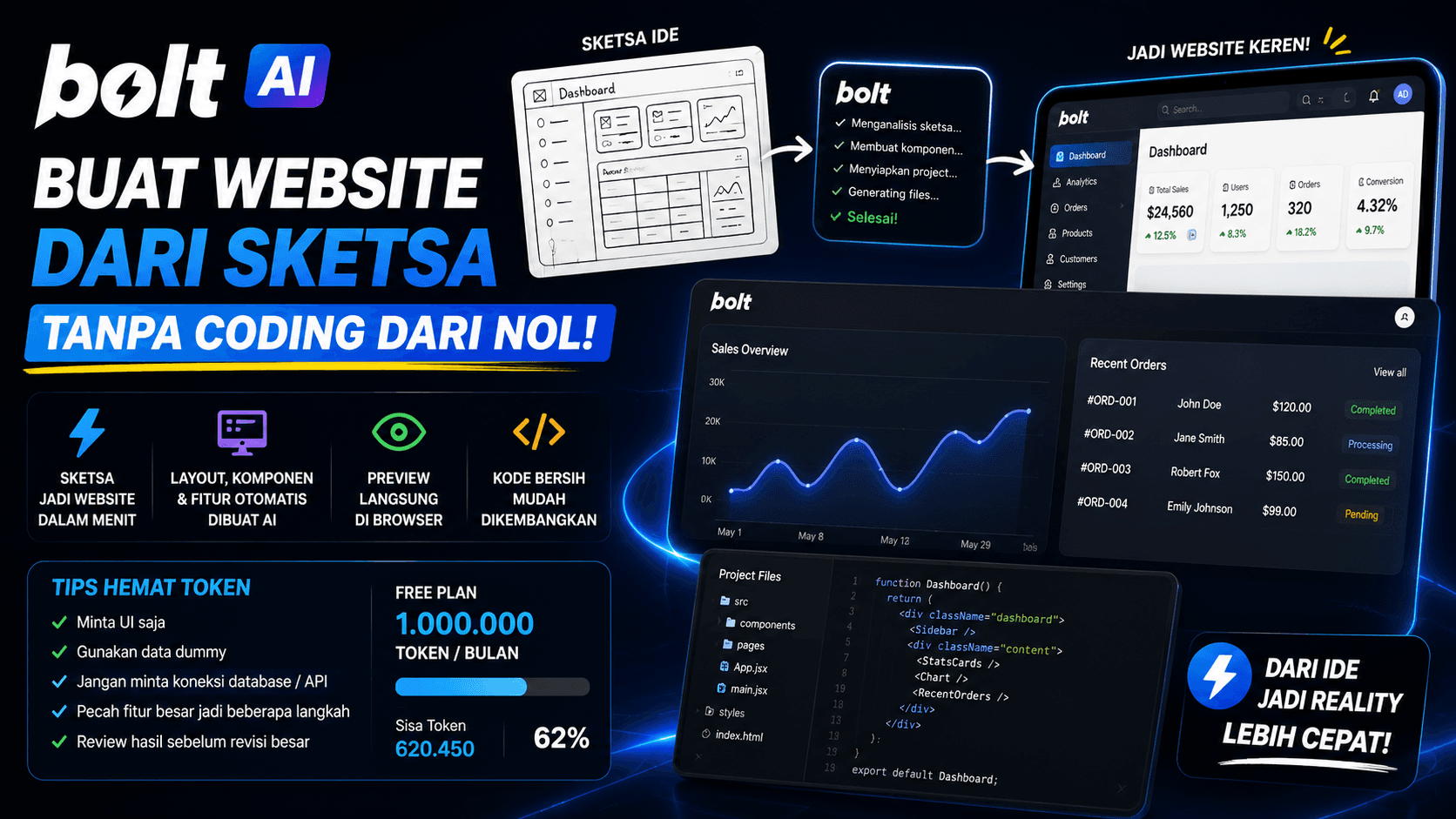
Website Development Can Now Start from a Sketch
In the past, building a website usually started with creating folders, setting up a framework, building components, and arranging layouts manually.
Today, AI can help speed up the early stage. One interesting tool to try is Bolt AI or Bolt.new.
With Bolt, you can describe a website idea, provide a sketch reference, and ask the AI to generate a frontend project based on your instruction.
What Is Bolt AI
Bolt AI is a browser-based tool for building websites and applications with AI assistance.
You can write a prompt like:
Create an admin dashboard based on this sketch. Use a sidebar layout, header, statistic cards, and a data table. Focus only on the UI.
After that, Bolt can generate the project structure, components, styling, and live preview directly in the browser.
This is useful for creating quick prototypes without starting from an empty file.
Best for Prototypes and Early UI
Bolt is best used for early versions of a website.
For example:
- landing pages
- admin dashboards
- company profile pages
- product pages
- pricing pages
- simple SaaS prototypes
At the early stage, you can ask Bolt to create only the UI. After the interface looks right, developers can continue with API integration, form validation, state management, and code optimization manually.
Tips to Save Tokens
Bolt uses a token-based system. The more complex the instruction and project, the more tokens it may use.
To save tokens, keep the prompt focused.
A safer prompt example:
Create an admin dashboard UI from this sketch. Focus only on the frontend interface. Do not connect it to a database or API. Use dummy data for tables and statistic cards.
With this kind of prompt, the AI will not spend too much effort generating backend logic or unnecessary integrations.
Practical tips:
- ask for UI first
- use dummy data
- avoid backend work if not needed yet
- split large features into smaller steps
- review the result before asking for major revisions
Do Not Use the Output Without Review
Even though Bolt can generate results quickly, developers still need to review the code.
Things to check:
- component structure
- styling consistency
- responsive layout
- dependency usage
- code quality
- basic accessibility
- possible UI interaction bugs
AI can speed up the process, but it still needs direction and validation from developers.
Recommended Workflow
A safer workflow looks like this:
- Create a simple layout sketch.
- Upload or describe the sketch to Bolt.
- Ask Bolt to generate only the UI.
- Preview the result.
- Adjust components that do not match.
- Export or save the project.
- Continue API integration manually.
With this approach, Bolt works as an accelerator, not as a replacement for the whole development process.
Conclusion
Bolt AI is a very helpful tool for turning ideas or sketches into website prototypes.
It is suitable for speeding up early UI work, dashboards, landing pages, and product prototypes.
However, use it wisely. Keep prompts focused so tokens are not wasted too quickly.
For the best result, use Bolt to create the initial foundation, then let developers continue the implementation and code review.