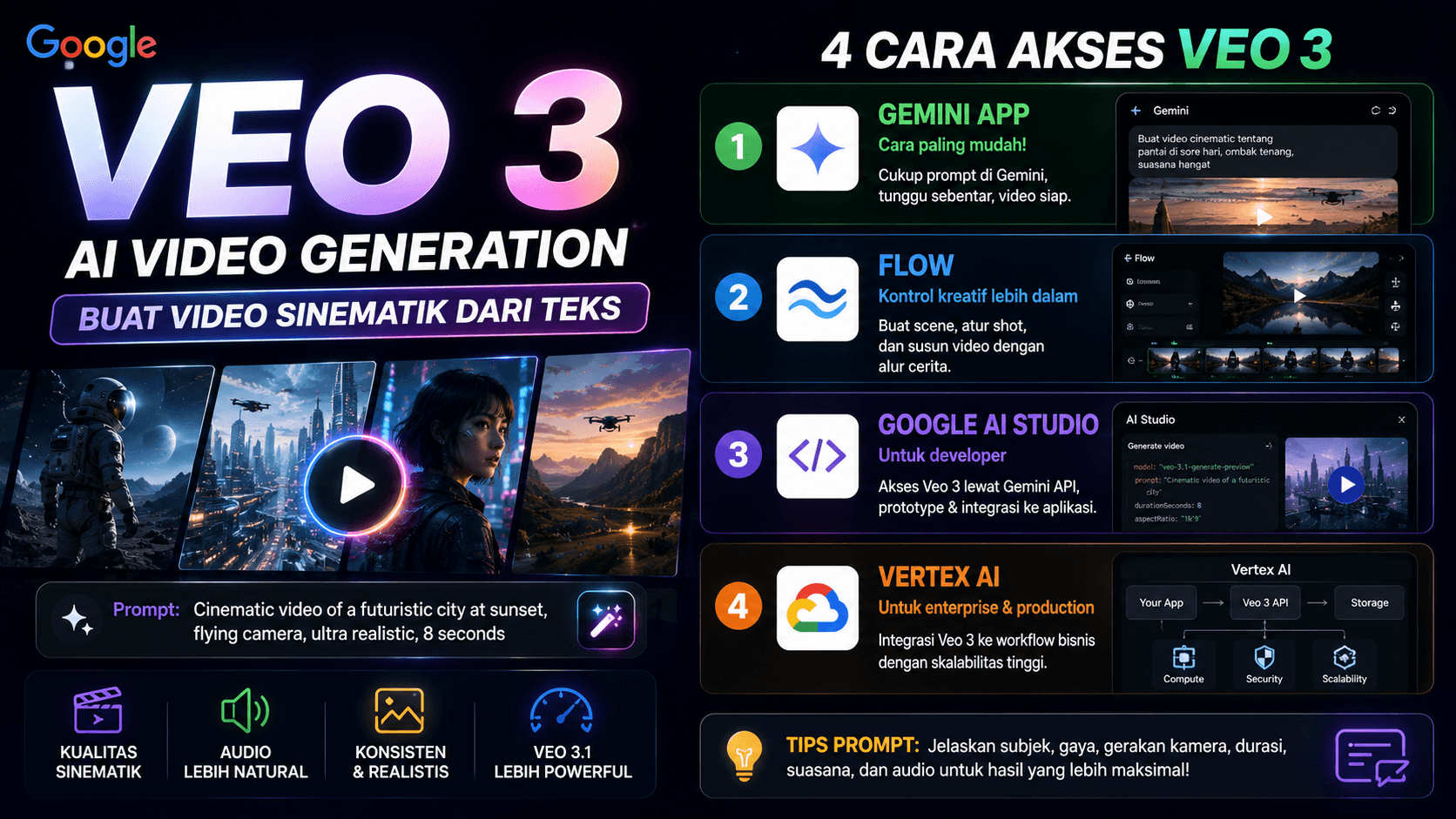
What Is Google Veo
Google Veo is Google’s AI video generation model that can create videos from text prompts or visual references.
With Veo, users can generate short videos with cinematic style, camera movement, characters, atmosphere, and more natural audio.
Its development has now reached Veo 3.1, which improves audio quality, narrative control, visual consistency, and image-to-video capability.
Why Veo Is Interesting for Creators and Developers
Veo is interesting because it can speed up video creation.
For content creators, Veo can be used to create:
- concept videos
- short ads
- visual storytelling
- educational content
- cinematic short videos
- early campaign ideas
For developers or product teams, Veo can help create visual demos, product story concepts, or promotional material before moving into full video production.
Ways to Access Google Veo
There are several ways to access Veo, depending on the use case.
Through the Gemini App
The easiest option for general users is the Gemini app, as long as video generation is available for the user’s account and region.
Users can simply write a natural video prompt, and Gemini will process the request.
Example prompt:
Create an 8-second cinematic video of a developer building an AI dashboard in a dark room with blue monitor light, slow camera movement, and a futuristic mood.
This option is best for creators who want to try Veo without complex technical setup.
Through Flow
Flow is Google’s tool for AI video creation with stronger creative control.
It is better suited for creators who want to build scenes, control visuals, and create videos with a clearer story flow.
If Gemini is best for quick access, Flow is better for deeper creative exploration.
Through Google AI Studio
Google AI Studio is suitable for developers who want to try Veo through the Gemini API.
Here, users can prototype, test prompts, and explore how video generation can be integrated into applications.
However, API access usually requires project configuration and billing setup.
Through Vertex AI
Vertex AI is more suitable for enterprise or production use.
Engineering teams can use Vertex AI when they want to integrate Veo into internal systems, business workflows, or large-scale applications.
This method is more technical because it requires Google Cloud setup, service accounts, permissions, and API configuration.
Tips for Writing Better Veo Prompts
To get more stable video results, prompts should be clear.
Include details such as:
- main subject
- location or background
- visual style
- camera movement
- duration
- mood
- audio or sound effects
- things to avoid
A better prompt example:
Create an 8-second video. A startup founder is presenting an AI dashboard on a large screen. Modern room, soft blue lighting, slow dolly-in camera movement, realistic cinematic style, night office ambience audio, no text on screen.
This is clearer than simply writing:
Create a cool startup video.
Choose the Right Access Method
If you only want to try it quickly, use the Gemini app.
If you want more creative control, use Flow.
If you want technical experiments and API integration, use Google AI Studio.
If you need production or enterprise implementation, use Vertex AI.
Choosing the right access method makes the Veo workflow more efficient.
Conclusion
Google Veo is one of the most interesting AI video generation technologies for creators, developers, and product teams.
It can help create concept videos, demos, promotional content, and visual storytelling faster.
However, the access method should match the need. Gemini is suitable for general users, Flow is suitable for creators, AI Studio is suitable for developers, and Vertex AI is suitable for production use.