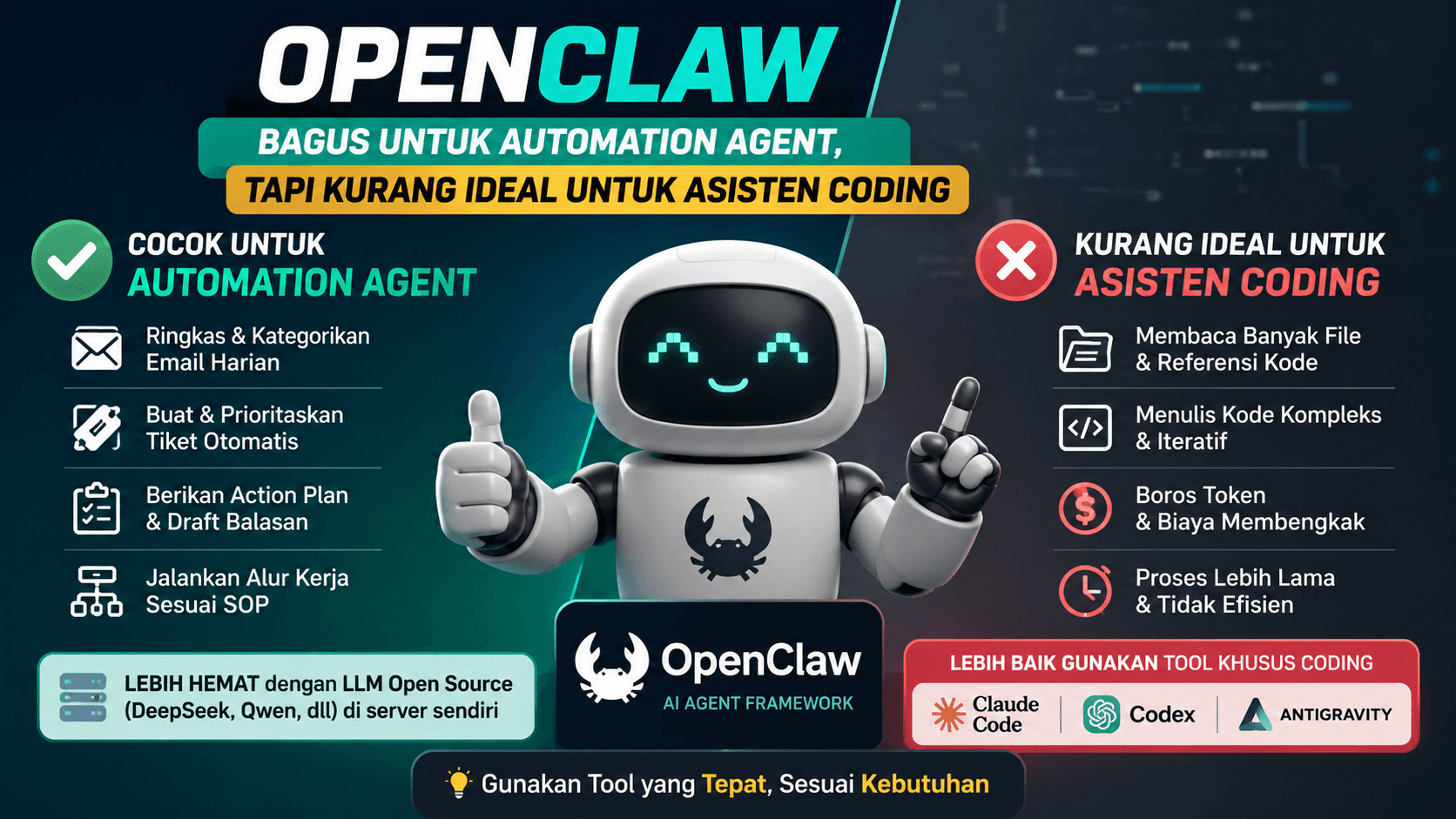
Understanding OpenClaw’s Position
OpenClaw is an interesting tool for building AI agents. With a tool like this, we can create agents that run automated tasks based on specific instructions.
However, OpenClaw should be used with cost and purpose in mind. If it uses API keys from models like Claude, GPT, or Gemini, every agent process will consume tokens. The more complex the task, the more tokens it may use.
This can make OpenClaw expensive when used for workflows that require large context and many iterations.
Better When Used with Self-Hosted Open Source LLMs
OpenClaw makes more sense when paired with a self-hosted open source LLM. For example, models like DeepSeek, Qwen, or other open source models running on private infrastructure.
With this approach, the cost is not directly tied to commercial API token usage. There are still server, GPU, maintenance, and monitoring costs. But for repeated internal workflows, this option can be more flexible.
This pattern is suitable for teams that want to build internal agents with more control over the model, data, and infrastructure.
The Better Use Case for OpenClaw
In my opinion, OpenClaw is better used as an automation agent tool or digital co-worker.
For example:
- reading daily incoming emails
- counting emails by category
- summarizing important emails
- grouping emails based on ticket needs
- suggesting action plans for replies
- running workflows that already have clear SOPs
For example, when a customer complaint email arrives, the agent can read the message, identify the issue category, assign a ticket priority, and suggest a reply draft.
In this case, OpenClaw helps people work faster instead of replacing the whole work process.
Why It Is Less Ideal for Coding Assistance
For coding needs, I think OpenClaw is less ideal as a primary coding assistant.
The reason is that coding usually requires a large amount of context. The agent needs to read many files, understand the project structure, inspect dependencies, read internal documentation, and write complex code.
The bigger the project, the more context the agent needs to process. If it uses a commercial AI model API, token costs can increase quickly.
Coding is also not just about following instructions. It often requires iteration, such as reading errors, fixing bugs, understanding architecture, refactoring code, and following project standards.
A More Practical Alternative for Coding
For coding assistance, I would recommend tools that are specifically built for coding. Examples include Claude Code, Codex, or Antigravity.
These tools are usually designed to understand projects, read files, help with debugging, and write code in a workflow that fits developers better.
From the cost side, usage is also easier to predict because it follows the plan limits or pricing model provided by the service.
So instead of using OpenClaw for everything, it is better to choose the tool based on the actual use case.
Conclusion
OpenClaw is not a bad tool. In fact, it can be very useful when used in the right context.
For automation agents, SOP-based workflows, email assistants, ticket helpers, and digital co-workers, OpenClaw can be a strong choice.
But for a primary coding assistant, OpenClaw may be less efficient because it needs many tokens, large project context, and complex coding iterations.
The principle is simple: use OpenClaw for workflow automation, and use dedicated coding assistants for coding work.