When VPS Storage Started Getting Too Full
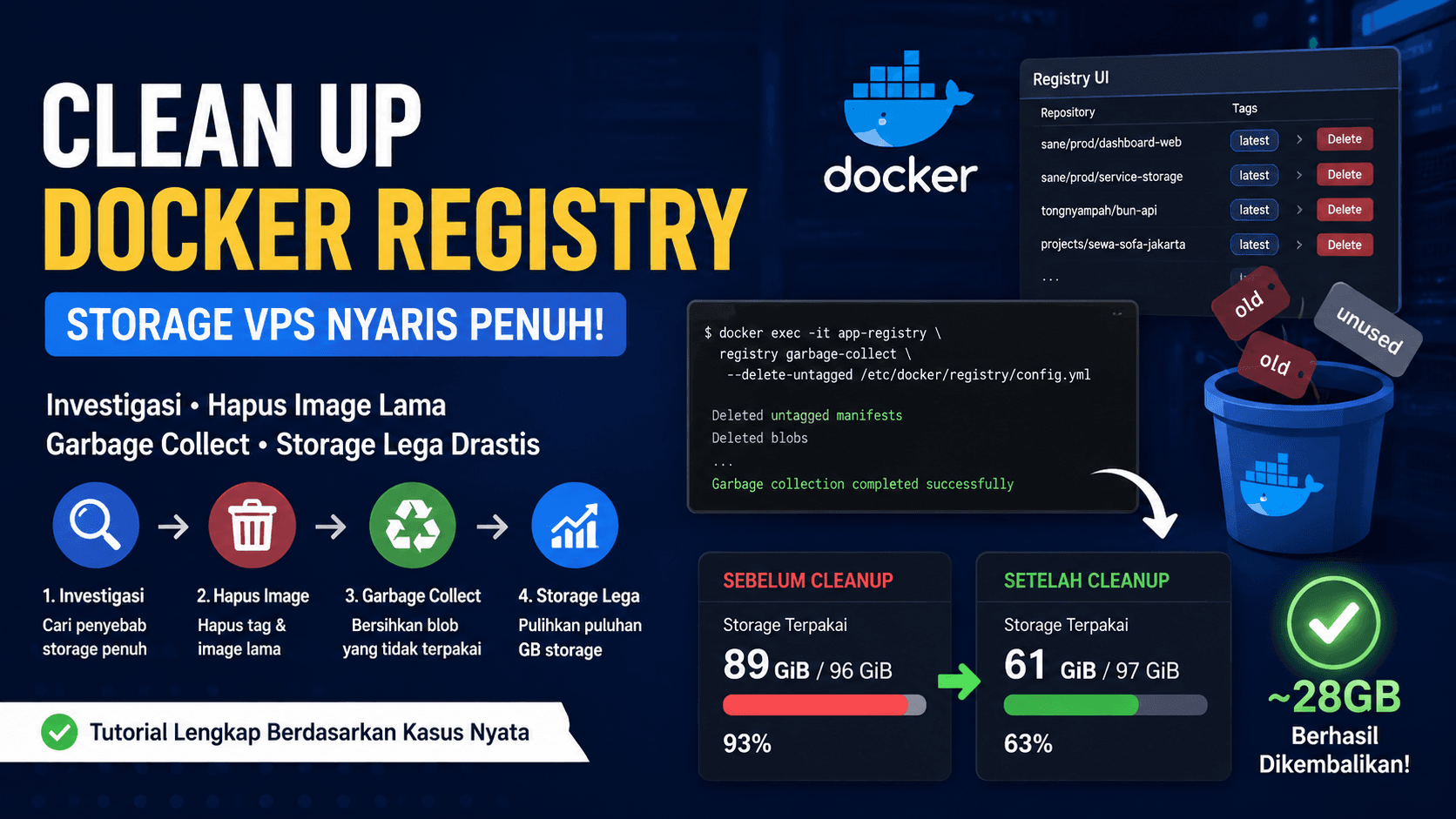
The issue started when the server dashboard showed that the VPS storage was almost full. From around 97 GiB total storage, about 89 GiB was already used.
This looked simple at first, but for a production server, this was risky. If the storage kept growing, services could fail to write logs, databases could become unstable, Docker could fail to pull images, and deployments could suddenly stop.

First Step: Checking Disk Usage from the Terminal
The first step was checking the disk condition directly from the terminal.
The command used was:
df -h
The result showed that the root partition was already around 93% used.
After that, the next step was finding which top-level folder consumed the most storage:
sudo du -xh --max-depth=1 / | sort -h
The result showed that /apps used around 64G. This was an important clue because application data, volumes, uploads, and the private registry were stored there.


Finding the Two Biggest Causes
The investigation continued inside the /apps directory.
The command used was:
sudo du -xh --max-depth=1 /apps/ | sort -h
The result showed several large folders, but two stood out:
/apps/app-datas/sanearound 33G/apps/app-datas/registryaround 25G
The sane folder contained application uploads. The registry folder contained data from the private Docker Registry used to store built images for deployment.

Cleaning Logs First to Create Breathing Room
Before touching the registry, server logs were also checked.
Some Nginx log files were quite large, such as access logs for the web profile, Portainer, Registry UI, APIs, and other services.
The log checking command was:
sudo find /apps/logs -type f -printf '%s %p\n' | sort -nr | head -30 | numfmt --to=iec --field=1
Because these files were only access and error logs, they were safe to empty as long as old traffic history was not needed for auditing.
The cleanup command used was:
sudo find /apps/logs -type f \( -name "access.log" -o -name "error.log" \) -exec truncate -s 0 {} \;
Archived log files were also removed:
sudo find /apps/logs -type f \( -name "*.gz" -o -name "*.1" -o -name "*.log.*" \) -delete

Adding Log Rotation to Prevent the Same Problem
Cleaning logs once was not enough. If logs kept growing without rotation, the same problem would happen again.
A logrotate configuration was added:
sudo tee /etc/logrotate.d/apps-nginx-logs >/dev/null <<'EOF'
/apps/logs/*/*.log {
    su root root
    daily
    rotate 7
    compress
    missingok
    notifempty
    copytruncate
    maxsize 100M
}
EOF
At first, logrotate showed an error because some log directories had permissions that logrotate considered insecure. The fix was adding:
su root root
After that, the debug test ran successfully:
sudo logrotate -d /etc/logrotate.d/apps-nginx-logs


Moving to the Main Issue: Docker Registry
After the logs were cleaned, the main focus returned to the registry folder.
The private Docker Registry was used to store application images such as:
registry.sendistudio.id:5000/sane/prod/dashboard-web:latest
registry.sendistudio.id:5000/sane/prod/service-storage:latest
registry.sendistudio.id:5000/tongnyampah/bun-api:latest
registry.sendistudio.id:5000/projects/sewa-sofa-jakarta:latest
The main registry container was found using:
docker ps --format "table {{.Names}}\t{{.Image}}\t{{.Ports}}" | grep -Ei "registry|distribution"
From the result, the main registry container was:
app-registry
Meanwhile:
app-registry-ui
was only the UI for managing the registry.

Why Deleting from Registry UI Was Not Enough
Old images and tags were deleted one by one from Registry UI.
However, in Docker Registry, deleting tags from the UI does not always remove the physical files from disk immediately. Usually, only references or manifests are removed.
Unused image layers can still remain as blobs. This is why the registry folder size may not decrease right after deleting images from the UI.
To actually clean the old data, Docker Registry needs garbage collection.
Running Garbage Collection Safely
Before running garbage collection, there should be no active image push or deployment process using the registry.
The Registry UI can be stopped temporarily:
docker stop app-registry-ui
Then the registry configuration can be checked:
docker exec -it app-registry sh -lc 'cat /etc/docker/registry/config.yml'
After that, run a dry-run first:
docker exec -it app-registry registry garbage-collect --dry-run /etc/docker/registry/config.yml
Dry-run is important because it shows what would be cleaned without deleting anything.
If the dry-run result looks safe, run the real garbage collection:
docker exec -it app-registry registry garbage-collect --delete-untagged /etc/docker/registry/config.yml
After the process is finished, restart the registry and start the UI again:
docker restart app-registry
docker start app-registry-ui
Result After Registry Cleanup
After the registry cleanup was completed, the result was significant.
Before cleanup, the server storage was around:
89G out of 96G
After cleanup, the dashboard showed storage usage at around:
61 GiB out of 97 GiB
This means around 28GB was recovered.
It proved that the Docker Registry had kept many old image layers that were no longer needed.

Lessons Learned from This Case
There are a few important lessons from this case.
First, full storage is not always caused by databases or file uploads. On a server using a private Docker Registry, old Docker images can also consume a lot of disk space.
Second, deleting images from Registry UI is not always enough. To remove the physical files, Docker Registry needs garbage collection.
Third, log cleanup is still useful, but its impact is usually smaller than registry cleanup or application upload cleanup.
Fourth, do not manually delete the registry data folder unless the goal is to reset the whole registry. The safer flow is:
delete old tags/images from Registry UI
run garbage collect dry-run
run real garbage collect
restart registry
check storage
Short Maintenance Command for Next Time
For regular maintenance, the flow can be simplified like this:
# stop UI temporarily
docker stop app-registry-ui

# run garbage collect
docker exec -it app-registry registry garbage-collect --delete-untagged /etc/docker/registry/config.yml

# restart registry and UI
docker restart app-registry
docker start app-registry-ui

# check result
df -h
sudo du -sh /apps/app-datas/registry/data
This command should be run when there is no active deployment or image push to the registry.
Conclusion
Docker Registry cleanup can have a big impact on a VPS that is almost full.
In this case, the investigation started from df -h, continued with checking large folders using du, cleaning logs, and finally cleaning Docker Registry using Registry UI and garbage collection.
The result was significant. Storage usage dropped from around 89G to 61G. The server became much safer, and the decision to extend storage or migrate to a new VPS could be postponed.
For the long term, the registry should be cleaned regularly. Meanwhile, application upload files such as sane/storage/uploads should be considered for migration to Object Storage.